
Formeo
Build Dynamic Forms Without the Framework Lock-In
Build Dynamic Forms Without the Framework Lock-In
Overview
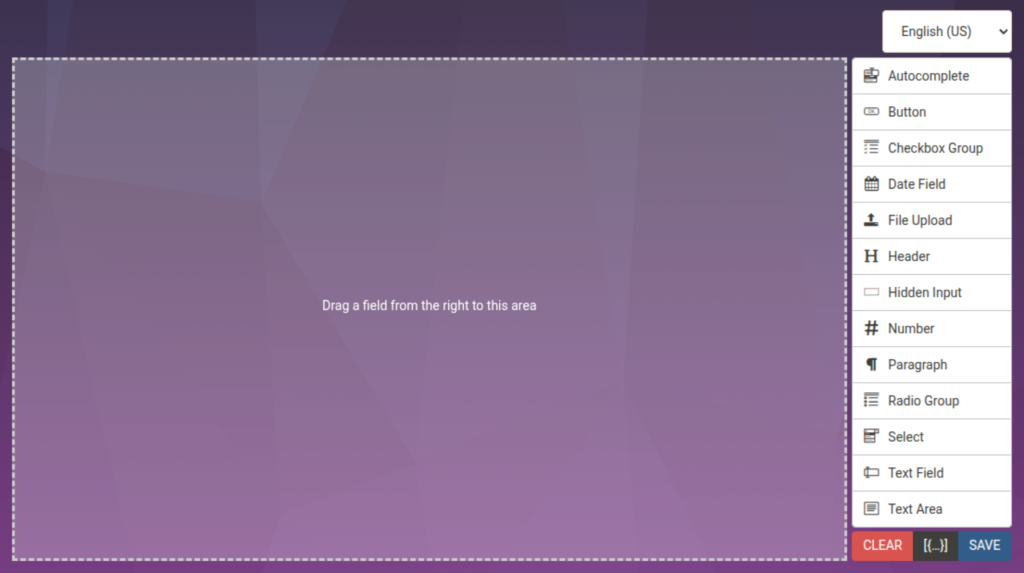
Formeo is a zero-dependency drag and drop form builder that gives developers a visual editing experience without tying them to any specific framework. Build complex, responsive forms with an intuitive interface, then render them anywhere on the web.
Most form builders are either bloated framework-specific packages or limited in what they can do. Formeo takes a different approach: it is a lightweight, self-contained library that works with any stack. Drop it into a vanilla JavaScript project, wrap it in React or Angular components, or load it from a CDN. The result is the same. A powerful form editor that your users will actually enjoy.
The library ships two main components. The FormeoEditor provides a full visual form-building interface with drag and drop support. The FormeoRenderer takes the saved form definition and turns it into a functional, validated HTML form. This separation means you can build forms in one context and render them in another.
Who It’s For
- Formeo is built for teams that need form-building capabilities without the overhead of a full CMS or page builder.
- SaaS Platforms — Give your users the ability to create custom intake forms, surveys, or application workflows
- Internal Tools — Build admin panels and data entry interfaces that non-technical staff can modify
- Customer Portals — Let clients design their own forms for submissions, feedback, or orders
- Developer Tools — Embed form creation into your own application without maintaining a custom builder
- Agency Projects — Ship form-heavy client projects faster with a reusable, configurable component
Why Formeo
Formeo eliminates the trade-off between flexibility and simplicity. You get a production-ready form builder that handles complex layouts, conditional logic, and custom field types, all while keeping your bundle size small and your dependency tree clean. It works with whatever stack you already use, and it does not force you into a particular framework or architecture.
Technical Highlights
- Distribution Formats — UMD, ES modules, and CommonJS. Load via npm or CDN
- Bundle Size — Minimal footprint with no framework overhead
- Testing — Unit tests with snapshot support and Playwright end-to-end tests
- Build System — Vite-based builds with minified and unminified output
- Code Quality — Biome linting and formatting, conventional commits, semantic versioning
- JSON Schema — Auto-generated JSON Schema for form data validation
- SVG Icon System — Custom icon sprite generated at build time
- License — MIT
What it does
Drag and Drop Editing
Intuitive visual builder with sortable fields and components
Multi-Column Layouts
Arrange fields in rows and columns for complex form structures
Conditional Logic
Show or hide fields dynamically based on user input
Custom Controls API
Register your own field types to extend beyond the built-in controls
Internationalization
Multi-language support out of the box with the @draggable/i18n package
Responsive Design
Mobile-friendly editor and rendered forms that adapt to any screen size
Preview Mode
Test forms with real data before deploying to production
TypeScript Support
Full type definitions for editor options, form data, and API methods
Framework Agnostic
Official integration guides for React and Angular. Works with any stack
Zero Framework Dependencies
No React, Vue, or Angular required. Pure JavaScript and CSS
Event System
Hook into save, render, and component lifecycle events for custom behavior
Session Persistence
Optional sessionStorage support so form work is never lost on refresh
Companion products
formBuilder
Drag and Drop Form Building, Simplified