
Overview
formBuilder is a jQuery-based drag and drop form builder that lets developers and designers create complex web forms without writing HTML. Simply drag field types onto the canvas, configure their properties, and export clean JSON or HTML. It has been actively maintained for over a decade with a strong community and regular releases.
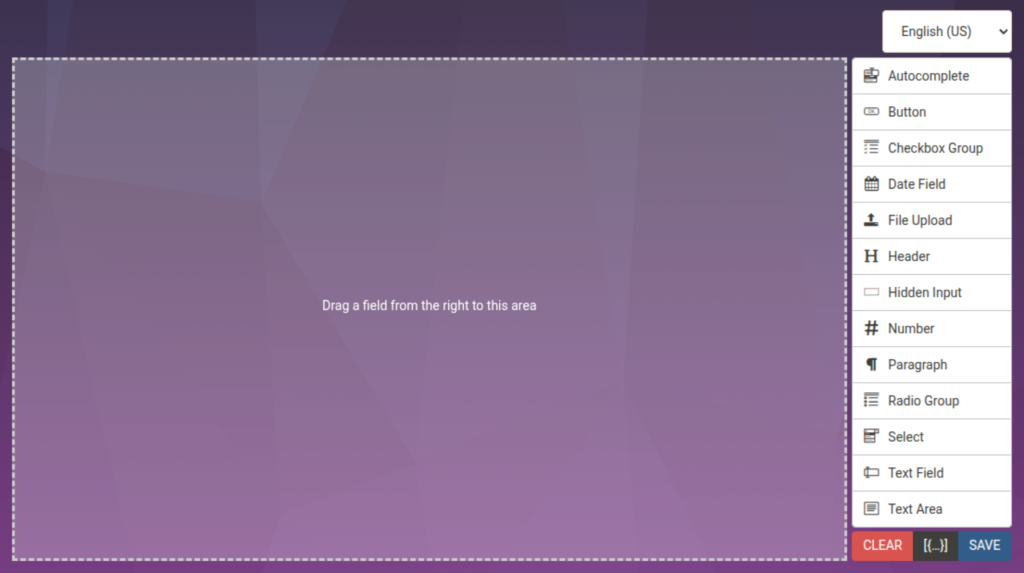
formBuilder
Drag and Drop Form Building, Simplified
Drag and Drop Form Building, Simplified
Built for flexibility, formBuilder works as a standalone tool or integrates seamlessly into existing applications. Whether you need a quick contact form, a multi-step registration wizard, or a dynamic survey engine, formBuilder gives you the controls to build it visually.
The library ships with a comprehensive set of built-in field types and supports custom controls, making it suitable for everything from simple admin panels to full-featured form generation platforms.
Who It’s For
- Internal tools and admin panels — let non-technical staff create intake forms, feedback surveys, and data collection tools
- Customer-facing applications — embed a form builder so users can design their own surveys, quizzes, or application forms
- CMS integrations — add visual form creation to WordPress, Drupal, or custom content management systems
- Survey and poll platforms — build the visual editor for survey tools without starting from scratch
- Low-code/no-code platforms — use formBuilder as the form component in a broader application builder
Why formBuilder
formBuilder eliminates the need to hand-code forms or build a custom drag and drop editor from scratch. It is production-ready, MIT licensed, and backed by years of active development. The JSON-based form definitions make it trivial to persist, version, and share form layouts across environments.
Technical Highlights
- jQuery plugin — integrates into any jQuery-based project in minutes
- MIT licensed — free for commercial and open source use
- Actively maintained — regular releases with bug fixes and new features (currently at v3.22.x)
- Tested — Jest test suite with coverage reporting
- NPM package — install via
npm install formbuilder - Minimal dependencies — only requires jQuery and jQuery UI Sortable
- CDN ready — hosted on jsDelivr and unpkg for quick integration